By Township Canada
Building with Canadian Land Data: What the Legal Land Description API Does and Who Uses It
The Township Canada API converts legal land descriptions to GPS coordinates in real time. See how developers in O&G, proptech, agriculture, and surveying build with it.
An O&G software company in Calgary was building a field dispatch tool. The tool needed to show GPS-pinned well locations on a map so crews could navigate to job sites. The problem: every well address in their database was a DLS legal land description - not GPS coordinates. Thousands of locations like LSD 14-27-048-05W5, and not a single latitude or longitude.
They needed a legal land description API in Canada that could convert those locations to GPS coordinates programmatically, in real time, without manual lookups. One API call to the Township Canada Search endpoint solved it - send the legal description, get back JSON with lat/lng and the parcel boundary polygon.
That's the core of what Township Canada's API does. And field dispatch is just one of the use cases.
What the Township Canada Search API Does
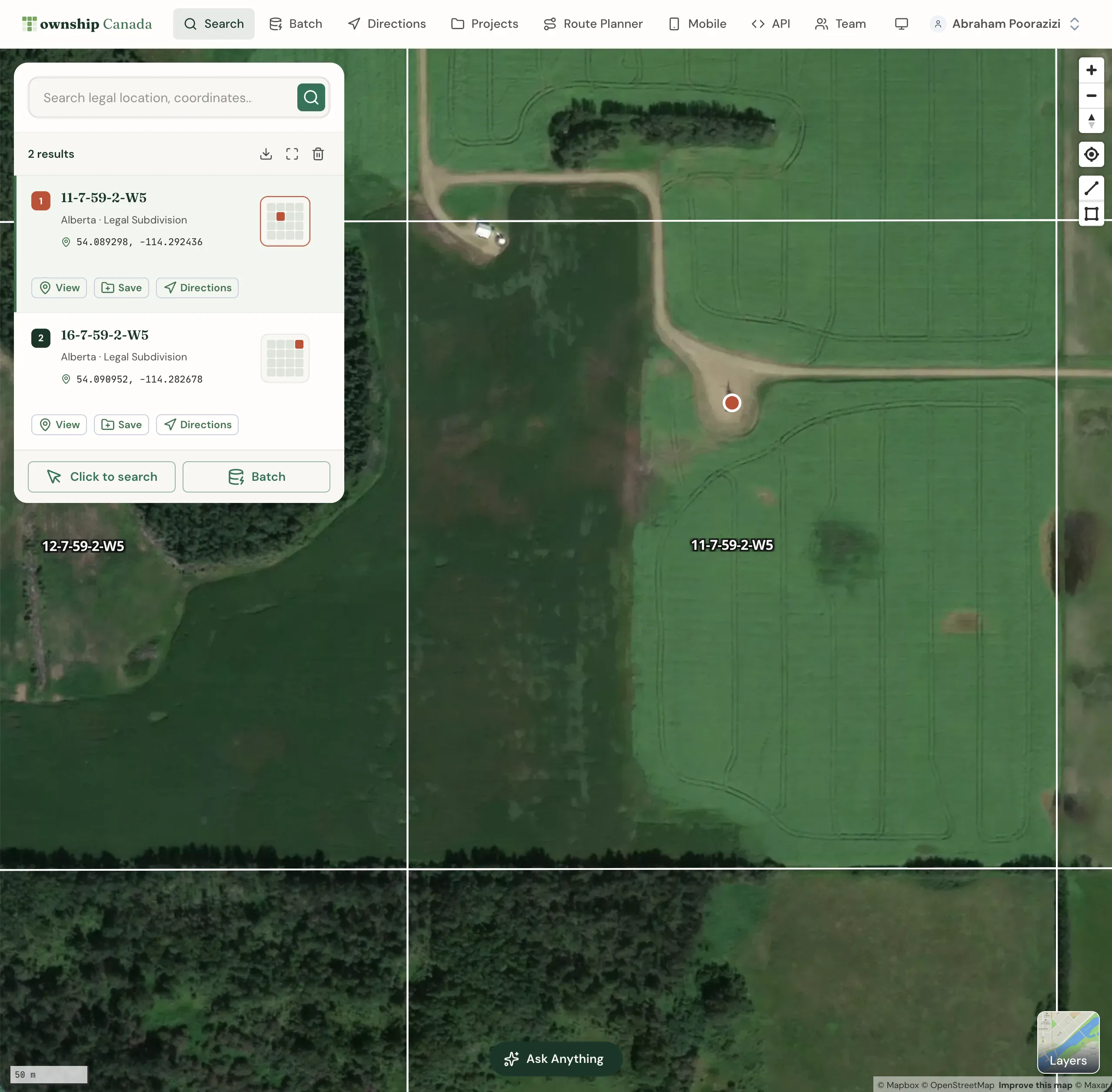
The Search API converts Canadian legal land descriptions to GPS coordinates. It handles DLS, LSD, NTS, FPS, Ontario lot/concession, and every other major Canadian survey system in a single endpoint.
A basic request looks like this:
GET /search/legal-location?location=LSD+14-27-048-05W5
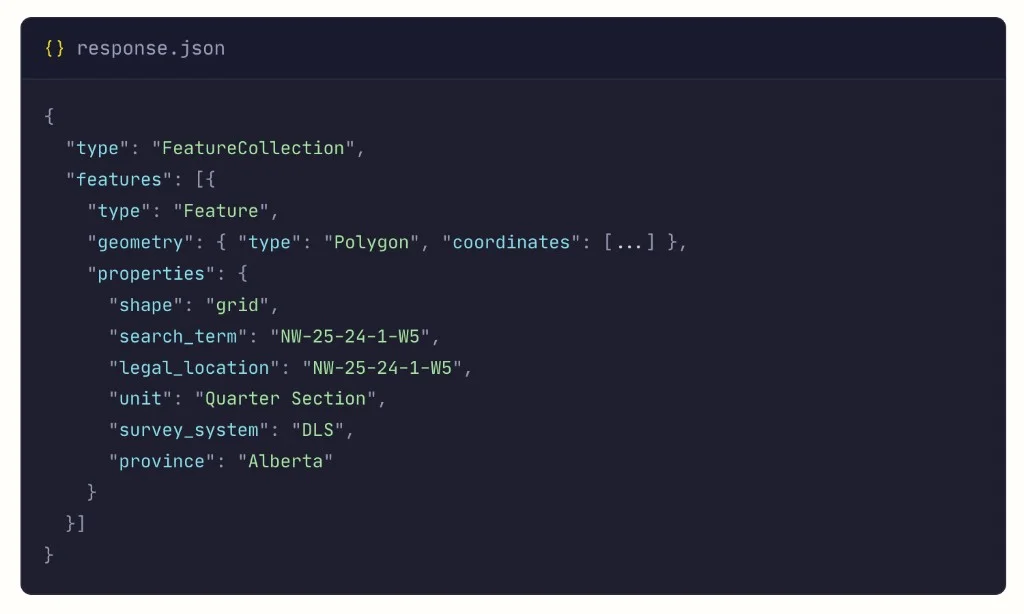
The response is a GeoJSON FeatureCollection containing a Polygon feature with the parcel boundary coordinates and metadata properties including legal_location, unit, survey_system, and province. Everything a downstream application needs to display, store, or route to that location.
{
  "type": "FeatureCollection",
  "features": [{
    "type": "Feature",
    "geometry": { "type": "Polygon", "coordinates": [...] },
    "properties": {
      "shape": "grid",
      "search_term": "NW-25-24-1-W5",
      "legal_location": "NW-25-24-1-W5",
      "unit": "Quarter Section",
      "survey_system": "DLS",
      "province": "Alberta"
    }
  }]
}
Beyond single lookups, the API includes two other key capabilities:
- Autocomplete - returns suggestions as users type partial descriptions, so you can build typeahead search into your application
- Batch processing - submit up to 100 descriptions per request (chunk larger lists; the SDK auto-chunks) and get coordinates back in bulk
Who Builds with It
The legal land description API in Canada serves four main industries. Each has a distinct workflow, but the underlying need is the same: turn a legal description into coordinates a computer can use.
Oil and Gas
O&G is the largest use case. Every well licence, pipeline crossing, and surface lease in Alberta and Saskatchewan is recorded as a legal land description. The AER's Unique Well Identifier (UWI) embeds the DLS location directly - 100/06-32-048-07W5/0 maps to LSD 6, Section 32, Township 48, Range 7, West of the 5th Meridian.
Field dispatch tools resolve UWI locations to GPS for crew navigation. Production databases convert well locations for map-based dashboards. Regulatory filing systems attach coordinates schedules generated from legal descriptions. Legacy desktop tools built for this kind of lookup cost far more - Township Canada's Search Build plan starts at a fraction of that.
For a deeper look at how the energy industry works with legal descriptions, see How Oil and Gas Companies Use Legal Land Descriptions. GIS teams using Esri tools can also connect the API directly to ArcGIS Pro - see ArcGIS Doesn't Support Canadian Legal Land Descriptions for the full integration guide.
Rural Property and Proptech
Rural property platforms need to show listings on a map. In western Canada, rural addresses are legal land descriptions - not street addresses. A listing for "NW 14-032-21 W4M" means nothing to a buyer scrolling a map. Convert it to 51.2°N, 112.8°W with a boundary polygon, and now the listing has a pin and a visible quarter-section outline.
Proptech companies integrate the API to add map views to listing databases, calculate distances between properties, and generate printable location reports. The Google Maps integration guide shows how to display boundaries on a familiar map interface.
Agriculture
Crop insurance applications, grain delivery permits, and farmland lease agreements all reference quarter sections. Agricultural software needs to verify that the legal description on a policy matches the actual field location - and display it on a map for the adjuster or agent reviewing the claim.
The batch endpoint is especially useful here. A crop insurance provider processing 2,000 policy applications before a coverage deadline can convert every quarter section in one batch job (auto-chunked into 100-record requests) instead of looking them up individually.
Surveying and Geomatics
Survey management platforms build DLS-to-GPS round trips: convert a legal description to coordinates for field navigation, then convert field-collected GPS coordinates back to a legal description for the final survey report. The API handles both directions - forward lookup and reverse geocoding.
Getting Started
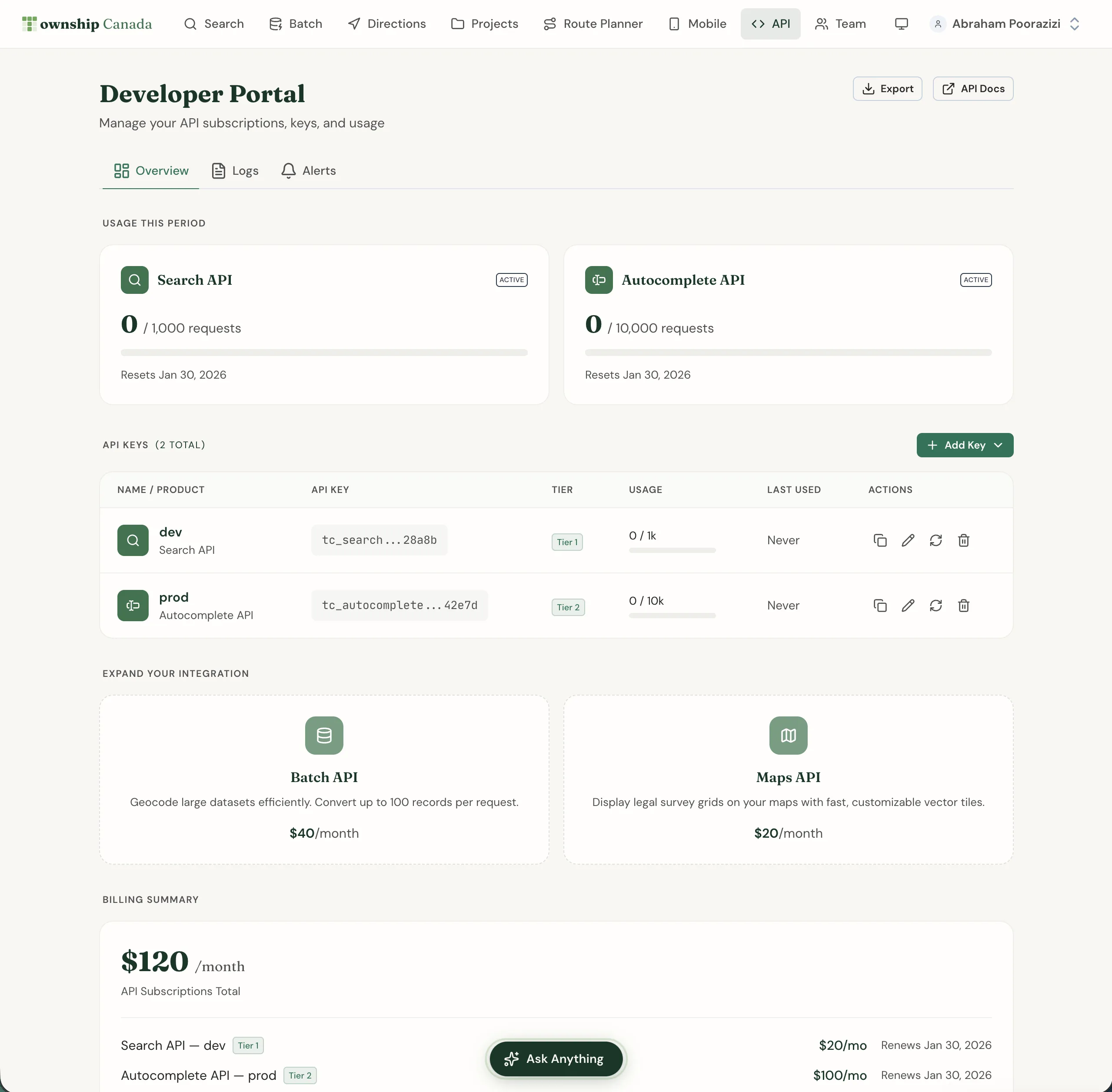
Setting up takes less than five minutes:
- Create an account at townshipcanada.com
- Generate an API key from your account settings - you can create separate keys for dev, staging, and production
- Make your first request - a single
GETcall with your legal description as the query parameter
The API returns standard GeoJSON, which means it works with any mapping library. Township Canada provides integration guides for Google Maps, Leaflet, Mapbox GL JS, and OpenLayers.
Pricing
API plans are straightforward and usage-based, by request volume:
| Plan | Requests Included |
|---|---|
| Search Build | 1,000 requests |
| Search Scale | 10,000 requests |
| Search Enterprise | 100,000 requests |
For comparison, legacy desktop tools for this kind of lookup cost far more than Township Canada charges for basic legal land description lookups.
Autocomplete, Batch, and Maps APIs are available as separate subscriptions. See the API pricing page for current rates.
Start Building
If your application works with Canadian land data - well locations, rural properties, field boundaries, survey parcels - the Township Canada API handles the conversion layer so you don't have to build it yourself. For a step-by-step walkthrough from API key to first request, see How to Integrate Canadian Legal Land Descriptions into Your Application. If you're working in TypeScript or Node.js, the townshipcanada npm package wraps all of these endpoints with typed methods - install one package instead of writing fetch calls from scratch. For data warehouse teams, see how to enrich a Snowflake table with DLS GPS coordinates using the same API as a SQL External Function. Check the API documentation to see the full endpoint reference, or generate a key and run your first query now.